 Skip to content

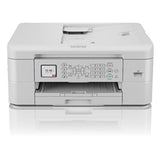
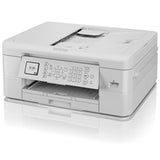
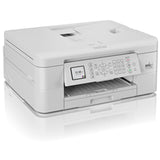


Brother Home MFC-J1010DW Inkjet Wireless Multifunction Printer
Add multiple items to your order — pay just $25/week total, no matter how many items.
Browse more items →100% Traditional Layby. Delivery after full payment.
Attention, eager beaver! Need your delivery in a flash?
No worries, mate! We're here to save the day! Just give us an email at  and let us know if you would like to pay more or less each week. Rest assured, we'll also provide you with an estimated delivery date when we make these changes. So don't you worry, your delivery dreams are in safe hands!
Â
( $50.00 Cashback [Valid 01/06/24 - 31/07/24, NZ Only] )
MFC-J1010DW all-in-one wireless colour inkjet printer
Sleek, simple and affordable all-in-one inkjet printer. Revolutionise your print and scan experience with the MFC-J1010DW, which is designed for the modern day user and fits into the smallest of home offices.
- Print, copy, scan and fax
- Mobile compatible - download app: 'Brother Mobile Connect'
- AirPrint and Mopria compatible
- 20 sheet automatic document feeder
- Paper tray holding up to 150 sheets
- Wireless connectivity
Print from anywhere, any time
You don't just need to be sat at your desk, or even near the printer to use the MFC-J1010DW. With the range of connectivity options available, you can print from anywhere in your house or office - and even from your mobile phone. By downloading the Brother Mobile Connect app you can access an array of features - from sending print jobs, to checking your ink levels.
Brother Mobile Connect
Mobile Connect is the app that lets you personalise your frequently used printer functions unlocking a revolutionary way of printing. As well as sending print jobs from anywhere, there is a whole host of useful scan features - scan data directly to your mobile device or check your scan history for files. You can also easily check ink levels in the app.
Brother awarded top brand in printer category by Consumer NZ for the 3rd year running
This achievement recognises Brother's unrivalled offering, with the Top Brand achievement awarded to brands that stand out as the best in market and that perform strongly across an entire product category. Consumer NZ's Top Brand programme was established to recognise excellence and to provide consumers with 'at a glance' information about outstanding products and services.
GeneralÂ
Printer type Colour
Function Print, Copy, Scan, Copy and Scan, Fax
Display Backlit LCD
Display size 1.8" / 4.5cm
Max paper size A4
Memory 128MB
Technology Inkjet
Connectivity
Connectivity
Wireless, USBÂ USB interface
Hi-Speed USB 2.0
Wi-Fi Direct Yes
Wireless network interface
IEEE 802.11b/g/n (Infrastructure) IEEE 802.11g/n (Wi-Fi Direct)
Copying
2-sided copy Yes
Resolution
Print: Max. 1200 x 1800dpi (mono & colour), Scan: Max. 1200 x 1200dpi (mono) and Max. 1200 x 600dpi (colour)
Speed 11.5ppm mono / 4.0ppm colour (based on ISO/IEC 24735)
2-sided copy speed A4 5.0 copies per minute
N in 1Â Yes
Dimensions & weights
Without carton W400 x D343 x H172mm
Weight 8.1 kg
Energy Consumption
Ready mode 3 watts
Sleep mode 1 watts
Off 0.2 watts
Environment
Operating humidity 20-80%
Operating temperature Print: 10-35 degrees Celsius (optimal 20-33)
Sound power Mono:6.64B(A) Colour:6.25B(A)
Sound pressure PC Printing: 53.5dB(A) (Approx.), FB Copy: 53.0dB(A) (Approx.)
Faxing
Fax modem 14,400 kbps
PC Fax Yes - Mono
Network
Wi-Fi Direct Yes
Wireless network IEEE 802.11b/g/n (Infrastructure) IEEE 802.11g/n (Wi-Fi Direct)
Wireless network security SSL/TLS (IPPS, HTTPS), 802.1x (EAP-FAST, PEAP, EAP-TLS, EAP-TTLS)
Paper handling
Paper input Standard tray: 150 sheets (80 g/m2), ADF: 20 sheets (80g/m2)
Paper output 50 (80 g/m2)
Printing
A4 2-sided print speed Up to 5.5 ipm (based on ISO/IEC 24734)
A4 draft print speed Up to 30 ppm mono and 12 ppm colour *time calculated including paper feeding
A4 standard print speed Up to 17 ppm mono and 9.5 ppm colour (based on ISO/IEC 24734)
Resolution Up to 1200x6000 dpi Windows only (Mac: Up to 1200x3600 dpi)
Automatic 2 sided print Yes
First print out time Less than 6 seconds
Recommended monthly volume 1-250 pages / up to half a ream
Scanning
2-Sided scan No
Resolution Flat Bed: 1200x2400 dpi. Automatic Document Feeder: 1200x600 dpi
Scan to Image, OCR, Email, File
Speed 17.0ipm mono, 7.0ipm colour
We can only process ONE order per customer at a time.Â
Layby with Layaway Depot
Choose your purchase
Browse our huge Layby only product range. Tap 'Customise Layby plan' to add item to cart.
Set your payment plan
The Mini Cart lets you customise your payment plan. Choose the plan length, and a payment frequency that suits you. You can Layby one item or place multiple items in one plan. You can have multiple plans, but need to log out and in again to create each extra one.
Checkout, make first payment
Review your payment plan, head to checkout and confirm your order. Make your first payment and you're buying the budget-friendly way.
Keep track on your dashboard
Your dashboard is a snapshot of your Layaway Depot account. You can track payments, check orders, adjust settings, get updates and more.
Complete plan, receive your order!
When your final payment has been processed, we quickly ship your product to you. Despatch will occur as close as possible to the date estimated when you customised your plan.
Delivery
All our stock is held in local warehouses in New Zealand.
Layaway Depot will usually dispatch your goods within 7 - 21 business days of completing your Layby payments.
This time frame factors in the confirmation of the Layby order include your payment method, processing and dispatch from the warehouse and the transport of the items via couriers. The 'In Stock' status on our website can mean the stock is either in our warehouse, or available with our supplier.
Whilst we endeavour to get items delivered to you as soon as possible we do, however, need to allow that 7 - 21 business day window to accommodate the processes above.
Delivery tracking details will be emailed to the email address on the account as soon as they are known. Your goods must be delivered to the delivery address as shown on your initial order.
Deliveries require a signature on delivery and if no one is at the property to sign for the package a calling card will be left by the driver with details of how to arrange redelivery or collection.
If their are multiple items on your order, you may receive multiple deliveries shipped by multiple couriers since items may be sent from different warehouse locations.
Large/bulky items (eg furniture and whitegoods) may take longer to deliver and may also incur an additional freight fee. If an additional freight fee is expected for your order you will be contacted via email after the order has been successfully placed.
Find out more →Returns
We guarantee your satisfaction with all Layaway Depot merchandise. If you receive damaged, defective, or incorrect item(s), you may return the product(s) at no cost to you. Once we receive the item(s) and verify the return of product(s), we will send you a replacement or issue you a full refund, including shipping and handling.
Please choose carefully when ordering. Once you have ordered the item, you are committed to the purchase. Under the Consumer Guarantees Act, you are only entitled to a refund in the event of a major product failure - not if you simply change your mind or you later discover that you picked the wrong colour or the item doesn't fit.
You are entitled to a refund if the item you purchased is: not of acceptable quality, does not match the description, does not match the sample or demonstration model shown to you or for any other reason permitted under the Consumer Guarantees Act.
Please contact our customer service department at admin@layawaydepot.co.nz to lodge a return.
You may also like...


