 Skip to content


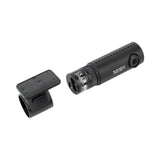


Black Vue DR590X-1CH Full HD Dash Cam 60fps - Wi-Fi - Sonys STARVIS Image Sensor - 139-Degree Wide View Angle - with 32GB Micro SD Card
Add multiple items to your order — pay just $25/week total, no matter how many items.
Browse more items →100% Traditional Layby. Delivery after full payment.
Attention, eager beaver! Need your delivery in a flash?
No worries, mate! We're here to save the day! Just give us an email at and let us know if you would like to pay more or less each week. Rest assured, we'll also provide you with an estimated delivery date when we make these changes. So don't you worry, your delivery dreams are in safe hands!
Full HD 60FPS video and Wi-Fi connectivity
The DR590X-1CH records Full HD 1080p 60FPS videos at a 139-degree wide view angle.
With the Sony STARVIS™ imaging sensor, you get awesome image clarity day and night.
Full HD Wi-Fi Dashcam
Full HD Sony STARVIS™ CMOS sensor recording at 60 frames per second.
Built-in Wi-Fi: easily adjust settings and transfer videos to your phone with the BlackVue App.
60 frames per second recording
The DR590X-1CH records super fluid videos at a high frame rate of 60 frames per second.
This means videos look more lifelike and the dashcam can better catch details in fast moving objects thanks to reduced motion blur.
Built-in Wi-Fi and Optional Connectivity
Built-in Wi-Fi: The DR590X-2CH features built-in Wi-Fi to let you connect with the BlackVue App. A button lets you turn Wi-Fi on/off.
Additionally, you can configure the Wi-Fi activation behavior in the settings (Auto Turn On, Auto Turn Off).
USB port: The USB port lets you connect a GPS receiver or LTE-M and GPS receiver combo module.
Native Parking Mode
With optional Hardwiring cable: DR590X can be hardwired to your vehicle's fuse panel for Parking Mode with the optional Hardwiring cable. The dashcam will switch to Parking Mode automatically when vehicle ignition is turned off. Voltage cutoff and timer can be set in the BlackVue App.
Parking Mode accessories support: DR590X Series is also compatible with all BlackVue Parking Mode Kits and Batteries.
Built-in Impact & Motion Detection
Automatically tags important files: While driving, your BlackVue detects impacts and sudden changes in speed. While parked, it also detects movements.
Use the filters in the BlackVue App and Viewer: All videos are tagged (Normal, Event, Parking Mode motion or time lapse), so that you can easily find the relevant ones in the BlackVue Viewer for Windows and Mac OS or the BlackVue App for Android and iOS.
Your videos are safe
Event Files Overwrite Protection: dashcams record in a loop, overwriting older files when the memory is full. BlackVue can prevent Event files (triggered manually or by impacts) overwriting. Up to fifty (50) files can be protected this way. You can choose to allow new Event files to overwrite past Event files, thus keeping the latest fifty.
Adaptive Format-Free File Management: this BlackVue-developed file system improves recording stability and requires less microSD card formatting.
SD Card Failure Alert: your BlackVue detects as soon as the microSD card fails and warns you with a "Please check SD card" voice alert.
Manage Videos Easily with the BlackVue App and Viewer
The BlackVue App (iOS/Android) and Viewer (Windows/Mac OS) are free to download and use.
Both allow you to change settings and review videos sorted by time and type (Normal/Event/Parking).
With the BlackVue App, connect via Wi-Fi to your dashcam to retrieve videos on the spot.
Set up (easily) and forget
BlackVue dashcams are very easy to install. Attach the front unit to the windshield behind the rear view mirror with the provided double-sided tape.
This way, the dashcam is invisible to the driver's eye. Simply plug the power cords into the cigarette lighter / accessory power socket of your vehicle and it will automatically start recording as you turn ignition on. Once set, you can forget about it, knowing it will reliably record your drive.
Parking Mode Support
The DR590X Series is compatible with Parking Mode. In Parking Mode, your dashcam monitors your parked vehicle, recording videos when it detects movement or impact. It also includes the few seconds before the triggering event, thanks to buffered recording. You will need a 3-wire Hardwiring cable or Power Magic Battery Pack or Ultra Battery to enable this feature. Find more info about Parking Mode.
Parking Mode Event Voice Notifications:
Upon exiting Parking Mode, your BlackVue tells you if Events were recorded when you were away from your car, so you can check right away the Event videos on the BlackVue App.
Scheduled Reboot:
Schedule a daily automatic reboot (optional-at night by default) to minimize potential errors. Reboots happen only if the dashcam is in Parking Mode and not writing data to the microSD card.
Super stealthy:
Completely turn off all LED indicators in Parking Mode. Only the recording LED indicator facing the interior of the vehicle will blink when motion or impact is detected.
| Category | Specification |
|---|---|
| Model Name | DR590X-1CH |
| Channel | 1CH |
| Highlights | Full HD, 60fps, Wi-Fi, External GPS, Sony Sensor, External LTE-M Module (Optional) |
| Product Dimensions | W 111.8 mm (4.40") x H 34 mm (1.34") / 86.3 g (3.04 oz) |
| Memory Support | microSD card up to 256GB |
| Recording Modes | - Normal - Event (Impact Detection / Speed Limit) - Parking Mode (Motion+Impact Detection) |
| Parking Mode | YES (with optional 3-wire hardwiring cable) |
| Parking Mode Event Voice Notifications | YES |
| Imaging Sensor | Sony STARVIS™ CMOS Sensor (Approx. 2.1MP) |
| Viewing Angle | Diagonal 139°, Horizontal 116°, Vertical 61° |
| Resolution Frame Rate | Full HD @60fps (Frame rate may vary during Wi-Fi streaming) |
| Video Codec | H.264 (AVC) |
| Image Quality and Bitrate Front/Rear | Highest (Extreme): 25 Mbps Highest: 12 Mbps High: 10 Mbps Normal: 8 Mbps |
| Format Free | YES (Adaptive) |
| Event File Overwrite Protection | YES |
| SD Card Failure Alert | YES |
| Scheduled Reboot | YES |
| Video File Extension | MP4 |
| Wi-Fi | Built-in (802.11n (2.4~2.4835 GHz)) |
| Cloud Compatible | Cloud Lite |
| Microphone | Built-in |
| Speaker | Built-in |
| Impact Sensor | 3-Axis Acceleration Sensor |
| LED Indicators | Recording LED, GPS LED, LTE/Wi-Fi LED, Front Security LED |
| Button | Button: Wi-Fi ON/OFF |
| Operating Temperature | -20°C to 70°C (-4°F to 158°F) |
| Storage Temperature | -20°C to 80°C (-4°F to 176°F) |
| High Temp Cut Off | Approx. 70°C (158°F) |
| Backup Battery | Built-in supercapacitor |
| Input Power | DC 12V-24V (DC Plug (Ø3.5 x Ø1.1)) to Wires (Black: GND/Yellow: B+/Red: ACC) |
| Power Consumption (Normal Mode) | - Wi-Fi On/GPS On: 240mA/hour - Wi-Fi Off/GPS On: 200mA/hour |
| Power Consumption (Parking Mode) | - Wi-Fi On/GPS Off: 220mA/hour - Wi-Fi Off/GPS Off: 180mA/hour |
| Power Consumption (with CM100GLTE-M) | - Wi-Fi On/GPS On: 290mA/hour - Wi-Fi Off/GPS On: 260mA/hour |
| Certifications | FCC, CE, RoHS, Telec, WEEE, IC |
| Software | BlackVue Viewer (Windows 7 or higher, Mac Yosemite OS X (10.10) or higher) |
| Application | BlackVue Application (Android 5.0 or higher, iOS 9.0 or higher) |
| Others | Adaptive Format-Free File Management System |
| Weight | 1 kg |
| Dimensions (Package) | 21 × 15 × 14 cm |
| Memory Capacity (Included) | 32GB |
| GPS Receiver | External GPS not included |
| What's Included | Front Camera, microSD Card 32GB, Cigarette lighter power cable, microSD Card adapter, Quick start guide, Cable clips (3EA) |
| Recording Time (32GB) | - Extreme: 2 HR 30 MIN - Highest: 5 HR 10 MIN - High: 6 HR - Normal: 7 HR 40 MIN |
We can only process ONE order per customer at a time.
Layby with Layaway Depot
Choose your purchase
Browse our huge Layby only product range. Tap 'Customise Layby plan' to add item to cart.
Set your payment plan
The Mini Cart lets you customise your payment plan. Choose the plan length, and a payment frequency that suits you. You can Layby one item or place multiple items in one plan. You can have multiple plans, but need to log out and in again to create each extra one.
Checkout, make first payment
Review your payment plan, head to checkout and confirm your order. Make your first payment and you're buying the budget-friendly way.
Keep track on your dashboard
Your dashboard is a snapshot of your Layaway Depot account. You can track payments, check orders, adjust settings, get updates and more.
Complete plan, receive your order!
When your final payment has been processed, we quickly ship your product to you. Despatch will occur as close as possible to the date estimated when you customised your plan.
Delivery
All our stock is held in local warehouses in New Zealand.
Layaway Depot will usually dispatch your goods within 7 - 21 business days of completing your Layby payments.
This time frame factors in the confirmation of the Layby order include your payment method, processing and dispatch from the warehouse and the transport of the items via couriers. The 'In Stock' status on our website can mean the stock is either in our warehouse, or available with our supplier.
Whilst we endeavour to get items delivered to you as soon as possible we do, however, need to allow that 7 - 21 business day window to accommodate the processes above.
Delivery tracking details will be emailed to the email address on the account as soon as they are known. Your goods must be delivered to the delivery address as shown on your initial order.
Deliveries require a signature on delivery and if no one is at the property to sign for the package a calling card will be left by the driver with details of how to arrange redelivery or collection.
If their are multiple items on your order, you may receive multiple deliveries shipped by multiple couriers since items may be sent from different warehouse locations.
Large/bulky items (eg furniture and whitegoods) may take longer to deliver and may also incur an additional freight fee. If an additional freight fee is expected for your order you will be contacted via email after the order has been successfully placed.
Find out more →Returns
We guarantee your satisfaction with all Layaway Depot merchandise. If you receive damaged, defective, or incorrect item(s), you may return the product(s) at no cost to you. Once we receive the item(s) and verify the return of product(s), we will send you a replacement or issue you a full refund, including shipping and handling.
Please choose carefully when ordering. Once you have ordered the item, you are committed to the purchase. Under the Consumer Guarantees Act, you are only entitled to a refund in the event of a major product failure - not if you simply change your mind or you later discover that you picked the wrong colour or the item doesn't fit.
You are entitled to a refund if the item you purchased is: not of acceptable quality, does not match the description, does not match the sample or demonstration model shown to you or for any other reason permitted under the Consumer Guarantees Act.
Please contact our customer service department at admin@layawaydepot.co.nz to lodge a return.
You may also like...


