 Skip to content

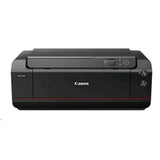
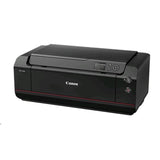
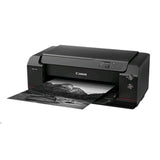
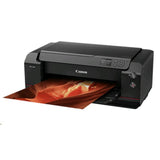
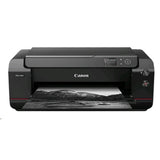


Canon Imageprograf Pro-1000 Printer
Add multiple items to your order — pay just $25/week total, no matter how many items. One contract, one payment, items delivered as you pay them off.
Browse more items →100% Traditional Layby. Delivery after full payment.
Attention, eager beaver! Need your delivery in a flash?
No worries, mate! We're here to save the day! Just give us an email at  and let us know if you would like to pay more or less each week. Rest assured, we'll also provide you with an estimated delivery date when we make these changes. So don't you worry, your delivery dreams are in safe hands!
Lead the way with spectacular results in colour or black and white
Working with a 12 pigment ink system and accurately placing an incredible 32,256,000 ink droplets on the paper every second, the iPF PRO-1000 produces spectacular reproductions of photos and fine arts with smooth gradations and excellent detail. Chroma Optimizer ink ensures uniform glossiness on luster and gloss stocks.
Print Assist
This product is covered by Canon Print Assist. Get easy, step-by-step instructions to set up and use your printer. If you have a problem, you can contact the Print Assist team to help you solve your problem and be up and printing in no time.
Get the wow factor with luster and gloss prints
Canon's special Chroma Optimizer ink minimises microscopic bumps between ink droplets, to give your prints uniform glossiness and regulate surface reflections. Silicon oil, added to the inks for abrasion resistance, prevents scratching, making your job easier when it comes to printing and transporting large volumes.
A printer that straightens and flattens for perfect results
Achieve perfect results with smart skew correction and vacuum air feeding which feeds flat paper for accurate placement of ink droplets.
Smart, accurate and flexible
The iPF PRO-1000's non-firing nozzle detection reduces banding and alternate nozzles are ready to replace any that are blocked.
Print Assist: An Easier Way to Get Printing
Launch Print Assist to setup and get the most out of your Canon PIXMA or MAXIFY printer. All your helpful guides, advice and information for your printer in one place
12 pigment inks
Produces a very wide gamut of colour and tone, smooth gradations and excellent detail in the shadows.
A2 print speed
pproximately 6 minutes and 25 seconds to create a high quality A2 colour print with a border.
Ideal colour and detail
The improved print head produces 32,256 ink droplets every second to ensure spectacular colour and detail in every print.
Chroma optimizer
Minimises microscopic bumps between ink droplets, giving prints a uniform glossiness. This regulates surface reflections to prevent a bronzing effect.
Printer Functions Model
Polaris Zero/Polaris Zero AS
Issued Version V1.0
Issued Date 31/07/15
Class 17"
Ink Type MBK/PBK/C/M/Y/PC/PM/GY/PGY/R/B/CO
Maximum Print Resolution 2400 (horizontal)*1 x 1200 (vertical) dpi
Installation
User installation
Dimensions WxDxH (mm), Weight (Kg) (Unit)Â Approx. 723 x 433 x 285 mm, Weight approx. 32kg (including print head and inks)
Dimensions WxDxH (mm), Weight (Kg) (Package)Â Approx. 1,006 x 556 x 433 mm, Weight approx. 38kg (including print head, inks, manuals)
Power Supply
Input power: AC 100-240V 50/60HzPower consumption*7: approx 37WStandby power consumption: approx 2.5WPower off: approx 0.4W
Acoustic Noise (PC Print)
Photo (4"x6")*2: approx. 41.0 db(A)Document (A4, B/W)*3 - Quiet Mode OFF: approx 40.8 dB(A)Document (A4, B/W)*3 - Quiet Mode ON: approx
40.4 dB(A)
Paper Handling (Rear Tray) (Maximum Number)
Plain Paper: A5/A4/A3/B5/B4/LTR//LGL/LDR=150,A2/B3=20Photo Paper Pro Platinum (PT-101): 4x6=20x2LTR/A4/A3/A3+/8"x10"/10"x12"/14"x17"=10?A2=1Photo Paper Plus Glossy II (PP-201): 4x6=20x25x7/LTR/A4/A3/A3+/8"x10"=10Photo Paper Pro Luster (LU-101): LTR/A4/A3/A3+=10xA2/17"x22"=1Photo Paper Plus Semi-gloss (SG-201): 4x6=20x2LTR/5×7/A4/A3/A3+/8"x10"/10"x12"/14"x17"=10x17"x22"=1Matte Photo Paper (MP-101): LTR/A4/A3/A3+=10Photo Stickers(PS-101): PS-101xPS-201xPSHRS = 1Lightweight Photo Paper: LTR/A4/A3/A3+/A2/17"x22"/LDR=1Heavyweight Fine Art Paper: LTR/A4/A3/A3+/A2/17"x22"/LDR=1Japanese Paper Washi: LTR/A4/A3/A3+/A2/17"x22"/LDR=1Canvas: LTR/A4/A3/A3+/A2/17"x22"/LDR=1Red Label Superior 80 g/m2: A4=130Canon Oce Office Colour Paper 80 g/m2: A4=100
Paper Handling (Manual Feed Slot) (Maximum Number)
Photo Paper Pro Platinum (PT-101): A4/A3/A3+/A2/LTR/8"x10"/10"x12"/14"x17"=1Photo Paper Plus Glossy II (PP-201): A4/A3/A3+/LTR/8"x10"=1Photo Paper Pro Luster (LU-101): A4/A3/A3+/LTR/A2/17"×22"=1Photo Paper Plus Semi-gloss (SG-201): A4/A3/A3+/LTR/17"×22"/8"x10"/10"x12"/14"x17"=1Premium Matte(PM-101): A4/A3/A3+/LTR/A2/17"×22"=1Matte Photo Paper (MP-101): A4/A3/A3+/LTR/A2=1Lightweight Photo Paper: LTR/A4/A3/A3+/A2/17"x22"/LDR=1Heavyweight Photo Paper: LTR/A4/A3/A3+/A2/17"x22"/LDR=1Heavyweight Fine Art Paper: LTR/A4/A3/A3+/A2/17"x22"/LDR=1Extra Heavyweight Fine Art Paper: LTR/A4/A3/A3+/A2/17"x22"/LDR=1Japanese Paper Washi: LTR/A4/A3/A3+/A2/17"x22"/LDR=1Canvas: LTR/A4/A3/A3+/A2/17"x22"/LDR=1Highest Density Fine Art Paper: LTR/A4/A3/A3+/A2/17"x22"/LDR=1
Operating Environment Temperature: 5~35C, Humidity: 10~90%RH (no dew condensation)
Recommended Environment Temperature: 15~30C, Humidity: 10~80%RH (no dew condensation)
Storage Environment Temperature: 0~40C, Humidity: 5~95%RH (no dew condensation)
Detector and Adjustment
Registration adjustment: Automatic/ManualBanding adjustment: NoLine length adjustment: NoHead slant adjustment: NoColor calibration: Yes (with a color
calibration notification functions)Head gap adjustment: Automatic/ManualNon-firing detection: YesNon-firing compensation: Yes
Memory Standard memory: 1GB
Firmware Printer Languages: SG Raster(Swift Graphic Raster)Job control: IVECStatus reply: IVEC
Operation Panel
Display: 3.0" (320 x 240 TFT LCD), Key x 13, LED x 2Language on operation panelDisplayable language on LCD: 21 Languages Selectable: Japanese/English/German/Italian/Spanish/Portuguese/Dutch/Pollish/Russian/Danish/Norweign/Swedish/Finnish/Czech/Simplified Chinese/Traditianal Chinese/Korea/Thai/Indonesian/French/Turkish
Interface
Hi-Speed USBType: Built-inMode: Full Speed (12 Mbit/sec), High Speed (480 Mbit/sec), Bulk transferConnector type: Series B (4 pins)EthernetType: Built-inStandard: IEEE 802.3 10base-T / IEEE 802.3u 100base-TX / Auto-NegotiationProtocol: TCP/IPWireless LAN: IEEE802.11n/IEEE802.11g/IEEE802.11b
Print Head
Print Head
Model: NAType: Bubble-jet on demandHead configuration: 12 colors integrated type (4 colors chips x 3)Nozzle pitch: 600dpi x 2Nozzle per chip: 1,536 nozzles x 12 colorsDroplet size: 4pl per colorHead replacement: Service support
Ink Tank
Ink Tank
Model: JP/AMR/EUR/OCE:PFI-1000 MBK/PBK/C/M/Y/PC/PM/GY/PGY/R/B/CO, ASIA:PFI-50 MBK/PBK/C/M/Y/PC/PM/GY/PGY/R/B/COSupply: Tubing systemColors: MBK/PBK/C/M/Y/PC/PM/GY/PGY/R/B/COCapacity: Sales use: 80ml, Starter use: 80mlLevel detection: Detected by dot count and electrode (Empty)Smart chip: Each ink tank is equipped with EEPROM which
Media Handling
Media Feeding Rear tray/Manual feed slot
Media Size A5, A4, A3, A3+, A2, B5, B4, B3 4x6", 5x7", 8x10", 10x12", 14x17", 17x22", LTR, LGL, LDR
Media Thickness
Rear tray: Plain paper 64~105g/m2, Canon specialty paper Max.300g/m2, 0.1~0.3mm Manual feed slot: Canon specialty paper Max.400g/m2, 0.1~0.7mm
Media Width Rear tray: 89~432mm, Manual feed slot: 203.2~432mm
Minimum Printable Paper Length Rear tray: 127mm Manual feed slot: 254mm
Maximum Printable Paper Length 594mm
Margins (Top, Bottom, Sides)
Recommended area: Top margin: 57mm, Bottom margin: 55mm, Left/Right: 3.4mm (LTR/LGL: Left margin 6.4mm, Right margin 6.3mm)Printable area: Top margin 3mm, Bottom margin 5mm, Left/Right margin 3.4mm (LTR/LGL: Left margin 6.4mm, Right margin 6.3mm)Borderless printing: Top/Bottom/Left/Right 0mm
Borderless Printing Media Width: A4, A3, A3+, A2, 4x6", 5x7", 8x10", 10x12", 14x17", 17x22", LTR
Consumables
Ink Tank
JP/AMR/EUR/OCE:PFI-1000 MBK/PBK/C/M/Y/PC/PM/GY/PGY/R/B/CO ASIA:PFI-50 MBK/PBK/C/M/Y/PC/PM/GY/PGY/R/B/CO
Maintenance Cartridge MC-20
Direct Specifications - Apple Air Print
Layout
1-up (bordered/borderles*9): LTR, A4, A3, A3+, A2, 4"x6" 5"x7", 8"x10", 10"x12", 14"x17", 17"x22"1-up(bordered only): A5, B5, B4, B3, LGL, LDR, Custom size
Print Quality Standard/High
PIXMA/MAXIFY Printing Solutions (for iOS/Android)
Layout: 1-up (bordered/borderles*9): LTR, A4, A3, A3+, 4"x6", 5"x7", 8"x10", 10"x12", 14x17"Layout: 1-up(bordered only): A5, B5, B4, LGLPrint Quality: Fixed
We can only process ONE order per customer at a time.Â
Layby with Layaway Depot
Choose your purchase
Browse our huge Layby only product range. Tap 'Customise Layby plan' to add item to cart.
Set your payment plan
The Mini Cart lets you customise your payment plan. Choose the plan length, and a payment frequency that suits you. You can Layby one item or place multiple items in one plan. You can have multiple plans, but need to log out and in again to create each extra one.
Checkout, make first payment
Review your payment plan, head to checkout and confirm your order. Make your first payment and you're buying the budget-friendly way.
Keep track on your dashboard
Your dashboard is a snapshot of your Layaway Depot account. You can track payments, check orders, adjust settings, get updates and more.
Complete plan, receive your order!
When your final payment has been processed, we quickly ship your product to you. Despatch will occur as close as possible to the date estimated when you customised your plan.
Delivery
All our stock is held in local warehouses in New Zealand.
Layaway Depot will usually dispatch your goods within 7 - 21 business days of completing your Layby payments.
This time frame factors in the confirmation of the Layby order include your payment method, processing and dispatch from the warehouse and the transport of the items via couriers. The 'In Stock' status on our website can mean the stock is either in our warehouse, or available with our supplier.
Whilst we endeavour to get items delivered to you as soon as possible we do, however, need to allow that 7 - 21 business day window to accommodate the processes above.
Delivery tracking details will be emailed to the email address on the account as soon as they are known. Your goods must be delivered to the delivery address as shown on your initial order.
Deliveries require a signature on delivery and if no one is at the property to sign for the package a calling card will be left by the driver with details of how to arrange redelivery or collection.
If their are multiple items on your order, you may receive multiple deliveries shipped by multiple couriers since items may be sent from different warehouse locations.
Large/bulky items (eg furniture and whitegoods) may take longer to deliver and may also incur an additional freight fee. If an additional freight fee is expected for your order you will be contacted via email after the order has been successfully placed.
Find out more →Returns
We guarantee your satisfaction with all Layaway Depot merchandise. If you receive damaged, defective, or incorrect item(s), you may return the product(s) at no cost to you. Once we receive the item(s) and verify the return of product(s), we will send you a replacement or issue you a full refund, including shipping and handling.
Please choose carefully when ordering. Once you have ordered the item, you are committed to the purchase. Under the Consumer Guarantees Act, you are only entitled to a refund in the event of a major product failure - not if you simply change your mind or you later discover that you picked the wrong colour or the item doesn't fit.
You are entitled to a refund if the item you purchased is: not of acceptable quality, does not match the description, does not match the sample or demonstration model shown to you or for any other reason permitted under the Consumer Guarantees Act.
Please contact our customer service department at admin@layawaydepot.co.nz to lodge a return.
You may also like...


