 Skip to content

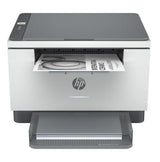
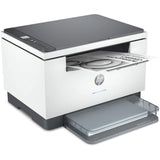
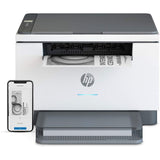
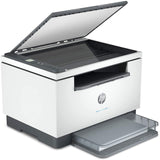
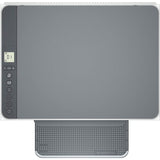


HP LaserJet M234DW Mono Laser Multifunction Printer
Add multiple items to your order — pay just $25/week total, no matter how many items.
Browse more items →100% Traditional Layby. Delivery after full payment.
Attention, eager beaver! Need your delivery in a flash?
No worries, mate! We're here to save the day! Just give us an email at  and let us know if you would like to pay more or less each week. Rest assured, we'll also provide you with an estimated delivery date when we make these changes. So don't you worry, your delivery dreams are in safe hands!
( $50.00 Cashback [Valid 01/06/24 - 03/09/24, NZ Only] )
HP LaserJet MFP M234DW Mono laser printer
A high-productivity MFP with the fastest two-sided printing in its class and the time-saving HP Smart app. Count on peace of mind from more reliable connections, and a worry-free experience with simplified setup.
HP Personal Laser Multifunction Printers are designed for individuals or small workteams who need affordable, reliable multifunction performance in a compact and easy-to-use desktop device.
This printer is intended to work only with cartridges that have a new or reused HP chip, and it uses dynamic security measures to block cartridges using a non-HP chip. Periodic firmware updates will maintain the effectiveness of these measures and block cartridges that previously worked. A reused HP chip enables the use of reused, remanufactured, and refilled cartridges.Â
Functions:Print, copy, scan
Print speed:
Up to 30 ppm Measured using ISO/IEC 24734, excludes first set of test documents. For more information see http://www.hp.com/go/printerclaims. Exact speed varies depending on the system configuration, software application, driver, and document complexity.
Printer page yield:
Approximate yield. Actual yield depends on printer and specific use. See http://www.hp.com/go/pageyield for more information.
First page out (ready) black:As fast as 6.9 sec
Resolution (black);Up to 600 x 600 dpi
Resolution technology:HP FastRes 600, HP FastRes 1200
Monthly duty cycle:
Up to 20,000 pages
Duty cycle is defined as the maximum number of pages per month of imaged output. This value provides a comparison of product robustness in relation to other HP LaserJet or HP Color LaserJet devices, and enables appropriate deployment of printers and MFPs to satisfy the demands of connected individuals or groups.
Recommended monthly page volume:200 to 2,000
Print Technology:Laser
Display:1.27" Icon LCD
Number of print cartridges:1 (black)
Replacement cartridges:HP 134A Black LaserJet Toner Cartridge, W1340A (~1100), HP 134X Black LaserJet Toner Cartridge, W1340X (~2400)[4]
Product disclaimer:
This printer is intended to work only with cartridges that have a new or reused HP chip, and it uses dynamic security measures to block cartridges using a non-HP chip. Periodic firmware updates will maintain the effectiveness of these measures and block cartridges that previously worked. A reused HP chip enables the use of reused, remanufactured, and refilled cartridges. More at:
http://www.hp.com/learn/ds
Print languages:PCLmS; URF; PWG
Automatic paper sensor:Yes
Paper trays:1
Mobile Printing Capability:Apple AirPrint™; HP Smart App; Mopria™ Certified; Wi-Fi® Direct Printing
Connectivity:1 Hi-Speed USB 2.0; 1 Fast Ethernet 10/100Base-TX; 1 Dual-band (2.4/5.0GHz) Wireless 802.11b/g/n with Bluetooth® low energy
Security management:
Secure Boot, Secure Firmware Integrity, Runtime Code Integrity, password protected EWS, secure browsing via SSL/TLS 1.0, TLS 1.1, TLS 1.2; TLS 1.0/1.1 disabled by default; Update to OpenSSL version 1.1.1; enable/disable Network ports; SNMPv1, SNMPv2, and SNMPv3, community password change; Secure defaults, Encrypted data at rest, Active FW update, Admin password by default, Cipher & TLS selection; Account lockout; Secure Wi-Fi setup
Minimum system requirements:
Apple® macOS v10.14 Mojave, macOS v10.15 Catalina, macOS v11 Big Sur; 2 GB HD; Internet required
Microsoft® Windows® 10, 8.1, 8, 7: 32-bit or 64-bit, 2 GB available hard disk space, Internet connection, Microsoft® Internet Explorer.
Compatible operating systems:
Microsoft® Windows® 10, 8.1, 8, 7: 32-bit or 64-bit, 2 GB available hard disk space, Internet connection, USB port, Microsoft® Internet Explorer. Apple® macOS v10.14 Mojave, macOS v10.15 Catalina, macOS v11 Big Sur; 2 GB HD; Internet required; USB; Linux (For more information, see https://developers.hp.com/hp-linux-imaging-and-printing)
Memory card compatibility:No
Memory:64 MB
Printer management:HP Printer Assistant (UDC); HP Device Toolbox
Supported network protocols:TCP/IP: IPv4; IPv6; LPD; SLP; Bonjour; WS-Discovery; BOOTP/DHCP/AutoIP; SNMP v 1/2/3;HTTP/HTTPS; UDP; IPP
Hard disk:No
Paper handling input:150-sheet input tray
Paper handling output:100-sheet output tray
Duplex printing:Auto-duplex
Envelope input capacity:Up to 10 envelopes
Media sizes supported:A4; A5; A6; B5 (JIS)
Media sizes:4 x 6 to 8.5 x 14 in
Media types:Paper (laser, plain, rough, vellum), Envelopes, Labels, Cardstock, Postcard
Supported media weight:16 to 43 lb
Media weights by paper path:60 to 163 g/m²
Power:110-volt input voltage: 110 to 127 VAC (+/- 10%), 60 Hz/50 Hz, 4.8 A; 220-volt
Power consumption:
453 watts (active printing), 3.3 watts (ready), 0.6 watts (sleep), 0.6 watts (Auto Off/Wake on LAN, enabled at shipment), 0.04 watts (Auto-off/Manual-on), 0.04 (Manual Off)
Power requirements are based on the country/region where the printer is sold. Do not convert operating voltages. This will damage the printer and void the product warranty. Power consumption values typically based on measurement of 115V device.
Energy efficiency:ENERGY STAR® certified; EPEAT® Silver
Operating temperature range:59 to 90.5ºF
Operating humidity range:30 to 70% RH
Software included:Downloadable Software from hp.com or 123.hp.com; #CD include HP Software Installer, Uninstaller, printer driver and other essential tools
Dimensions (W X D X H):14.49 x 11.76 x 9.52 in
Dimensions Maximum (W X D X H):14.49 x 16.52 x 17.18 in
Weight:16.76 lb
Package weight;21.1 lb
What's in the box;HP LaserJet MFP M234dw Printer; HP Black LaserJet Toner Cartridge (~700 pages); Dust Cover; Reference Guide; Setup Poster; Warranty Guide & Flyer in some countries; Power cord
Cable included:No, USB cable for all regions
Sustainability Impact:Mercury free
We can only process ONE order per customer at a time.Â
Layby with Layaway Depot
Choose your purchase
Browse our huge Layby only product range. Tap 'Customise Layby plan' to add item to cart.
Set your payment plan
The Mini Cart lets you customise your payment plan. Choose the plan length, and a payment frequency that suits you. You can Layby one item or place multiple items in one plan. You can have multiple plans, but need to log out and in again to create each extra one.
Checkout, make first payment
Review your payment plan, head to checkout and confirm your order. Make your first payment and you're buying the budget-friendly way.
Keep track on your dashboard
Your dashboard is a snapshot of your Layaway Depot account. You can track payments, check orders, adjust settings, get updates and more.
Complete plan, receive your order!
When your final payment has been processed, we quickly ship your product to you. Despatch will occur as close as possible to the date estimated when you customised your plan.
Delivery
All our stock is held in local warehouses in New Zealand.
Layaway Depot will usually dispatch your goods within 7 - 21 business days of completing your Layby payments.
This time frame factors in the confirmation of the Layby order include your payment method, processing and dispatch from the warehouse and the transport of the items via couriers. The 'In Stock' status on our website can mean the stock is either in our warehouse, or available with our supplier.
Whilst we endeavour to get items delivered to you as soon as possible we do, however, need to allow that 7 - 21 business day window to accommodate the processes above.
Delivery tracking details will be emailed to the email address on the account as soon as they are known. Your goods must be delivered to the delivery address as shown on your initial order.
Deliveries require a signature on delivery and if no one is at the property to sign for the package a calling card will be left by the driver with details of how to arrange redelivery or collection.
If their are multiple items on your order, you may receive multiple deliveries shipped by multiple couriers since items may be sent from different warehouse locations.
Large/bulky items (eg furniture and whitegoods) may take longer to deliver and may also incur an additional freight fee. If an additional freight fee is expected for your order you will be contacted via email after the order has been successfully placed.
Find out more →Returns
We guarantee your satisfaction with all Layaway Depot merchandise. If you receive damaged, defective, or incorrect item(s), you may return the product(s) at no cost to you. Once we receive the item(s) and verify the return of product(s), we will send you a replacement or issue you a full refund, including shipping and handling.
Please choose carefully when ordering. Once you have ordered the item, you are committed to the purchase. Under the Consumer Guarantees Act, you are only entitled to a refund in the event of a major product failure - not if you simply change your mind or you later discover that you picked the wrong colour or the item doesn't fit.
You are entitled to a refund if the item you purchased is: not of acceptable quality, does not match the description, does not match the sample or demonstration model shown to you or for any other reason permitted under the Consumer Guarantees Act.
Please contact our customer service department at admin@layawaydepot.co.nz to lodge a return.
You may also like...


HP Business Printer Startup Pack Includes one 4001DN Mono Laser Printer & 1500 Sheets A4 Paper


